简介
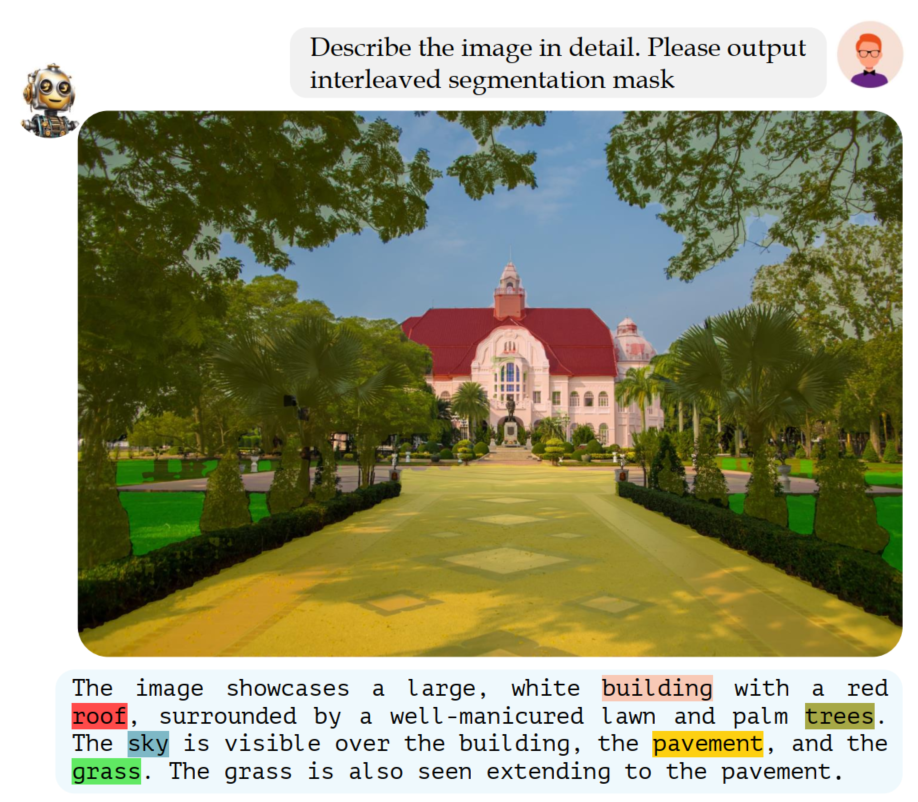
该工作建立了一个GCG(Grounded Conversation Generation )的数据集和对应多模态大模型,与之前的工作主要的区别在于针对输入图像,可以生成grounding pixel-level理解的语言对话,如下图示例所示:
Model

Automated Dataset Annotation Pipeline
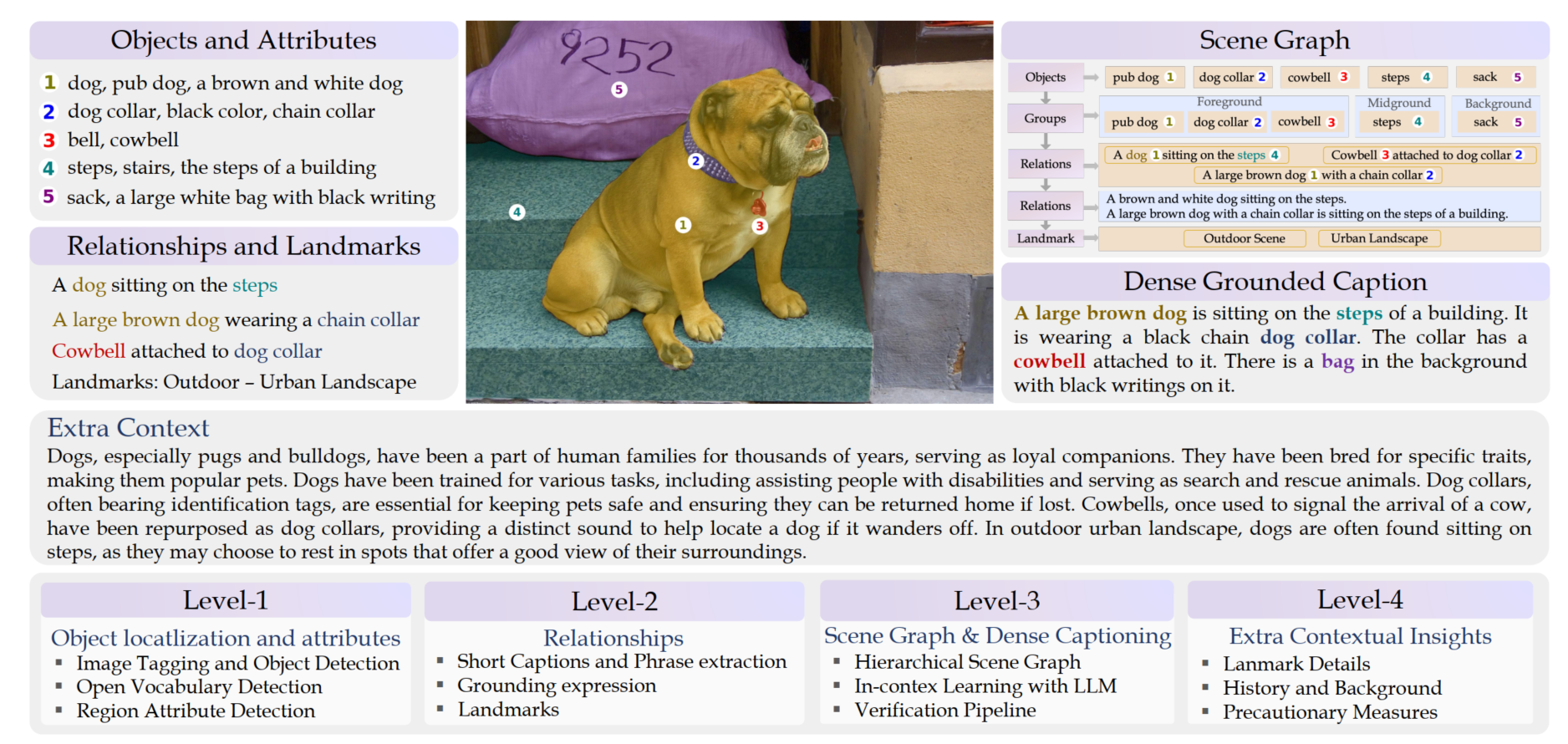
level 1: Object locatlization and attributes
1. Landmark Categorization
基于LLaVA模型对图像做场景的分类, 包含主要场景和细粒度场景。就是对数据集整体做一个大的类别标签和子类别标签,做场景的划分
def get_main_prompt(model, conv_mode="llava_v1"):
    options = ["Indoor scene", "Outdoor scene", "Transportation scene", "Sports and recreation scene"]
    qs = (f"Categorize the image landmark into one of the following options:\n"
          f"1. {options[0]}\n"
          f"2. {options[1]}\n"
          f"3. {options[2]}\n"
          f"4. {options[3]}\n"
          f"Respond with only the option.")
    return get_prompt(model, qs, conv_mode)

def get_fine_prompt(model, landmark_category, conv_mode="llava_v1"):
    if landmark_category == "Indoor scene":
        options = ["Living space", "Work space", "Public space", "Industrial space"]
        qs = (f"Categorize the image landmark into one of the following {landmark_category}s:\n"
              f"1. {options[0]}\n"
              f"2. {options[1]}\n"
              f"3. {options[2]}\n"
              f"4. {options[3]}\n"
              f"Respond with only the option.")
    elif landmark_category == "Outdoor scene":
        options = ["Urban landscape", "Rural landscape", "Natural landscape"]
        qs = (f"Categorize the image landmark into one of the following {landmark_category}s:\n"
              f"1. {options[0]}\n"
              f"2. {options[1]}\n"
              f"3. {options[2]}\n"
              f"Respond with only the option.")
    elif landmark_category == "Transportation scene":
        options = ["Road", "Airport", "Train station", "Port and harbor"]
        qs = (f"Categorize the image landmark into one of the following {landmark_category}s:\n"
              f"1. {options[0]}\n"
              f"2. {options[1]}\n"
              f"3. {options[2]}\n"
              f"4. {options[3]}\n"
              f"Respond with only the option.")
    elif landmark_category == "Sports and recreation scene":
        options = ["Sporting venue", "Recreational area", "Gym and fitness center"]
        qs = (f"Categorize the image landmark into one of the following {landmark_category}s:\n"
              f"1. {options[0]}\n"
              f"2. {options[1]}\n"
              f"3. {options[2]}\n"
              f"Respond with only the option.")
    else:
        qs = ""
    return get_prompt(model, qs, conv_mode)
2. Depth Map Estimation
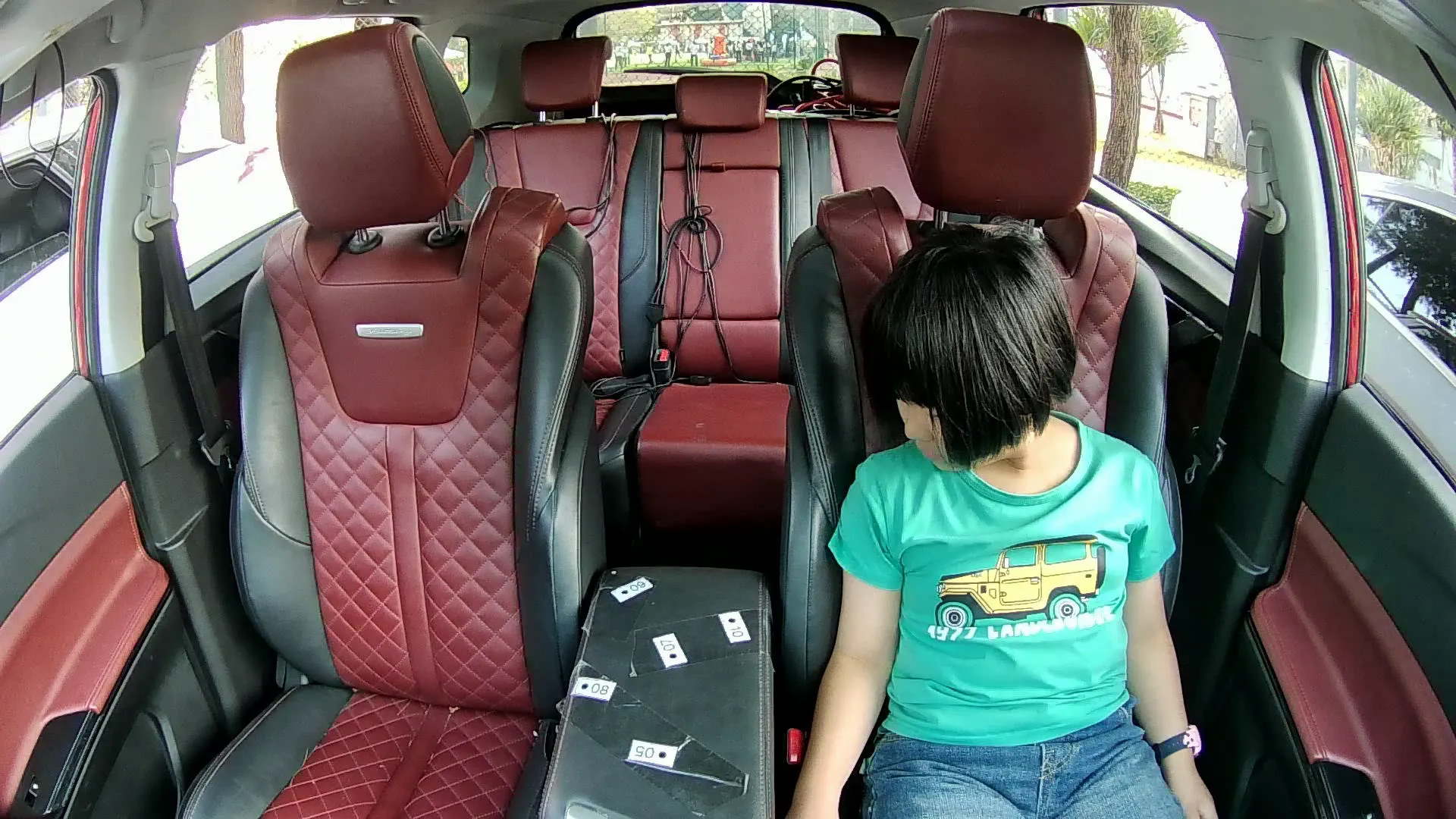
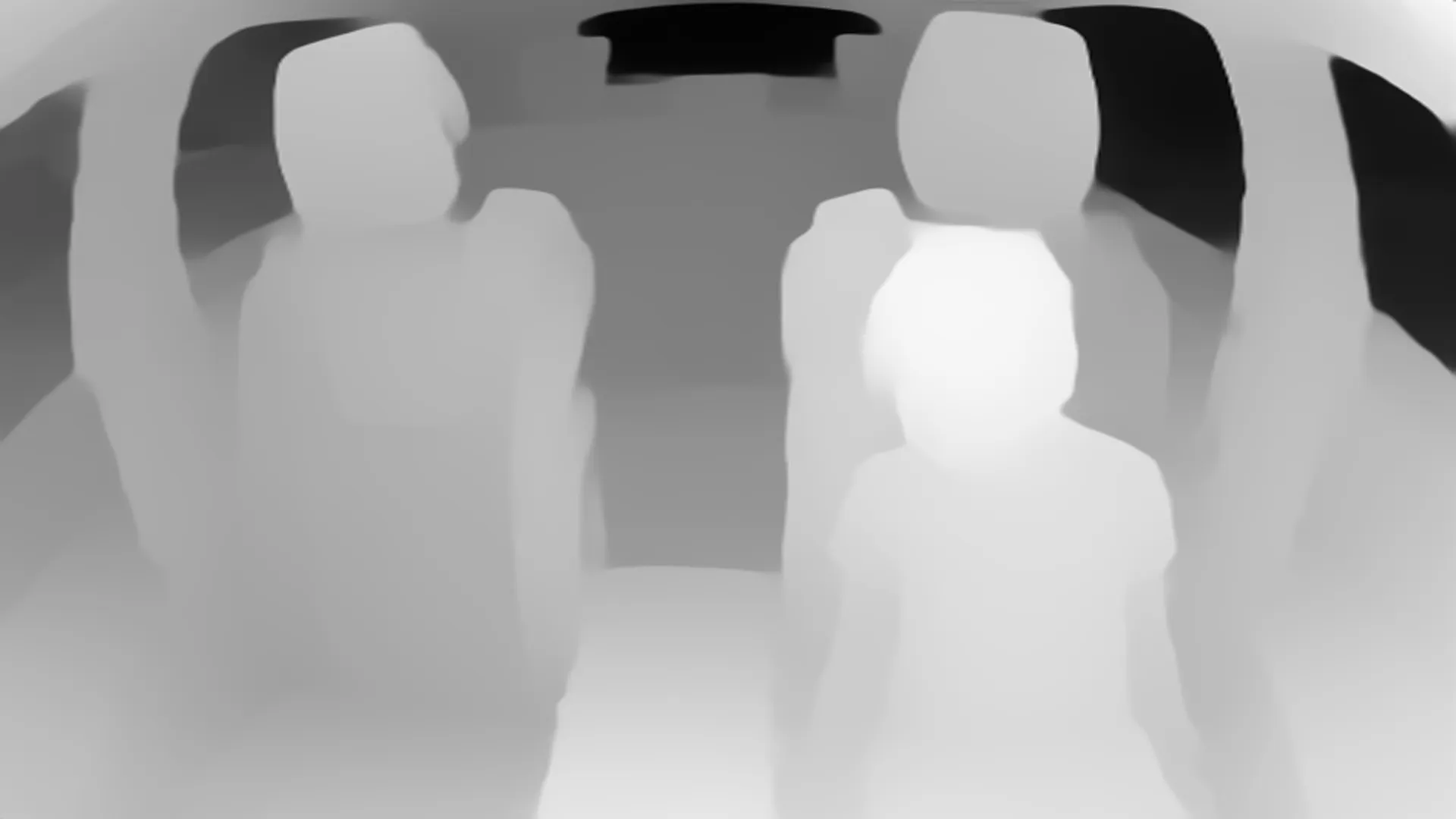
通过MiDaS v3.1 一个单目深度估计模型去预测深度图并保存
https://github.com/isl-org/MiDaS
在舱内测试效果 单GPU 0.164 s/per image:
3. Image Tagging
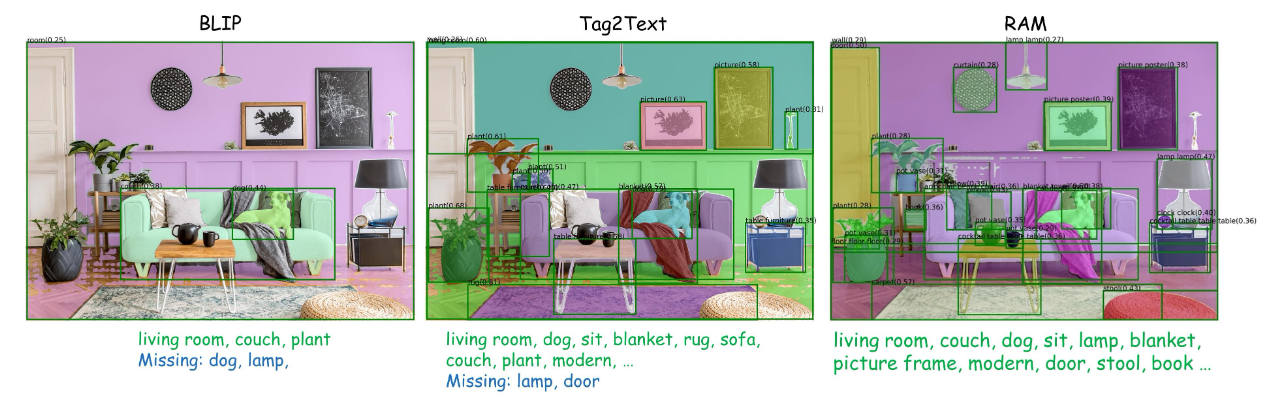
这一步主要是收集图像中可能包含的tag,这里用了两个模型,分别是Tag2Text和RAM(同一个团队做的,最新的RAM++也release了)
https://recognize-anything.github.io/
可以看下他们给的展示图,就是尽量准确的去收集可能包含的各种tag
4. Standard Object Detection
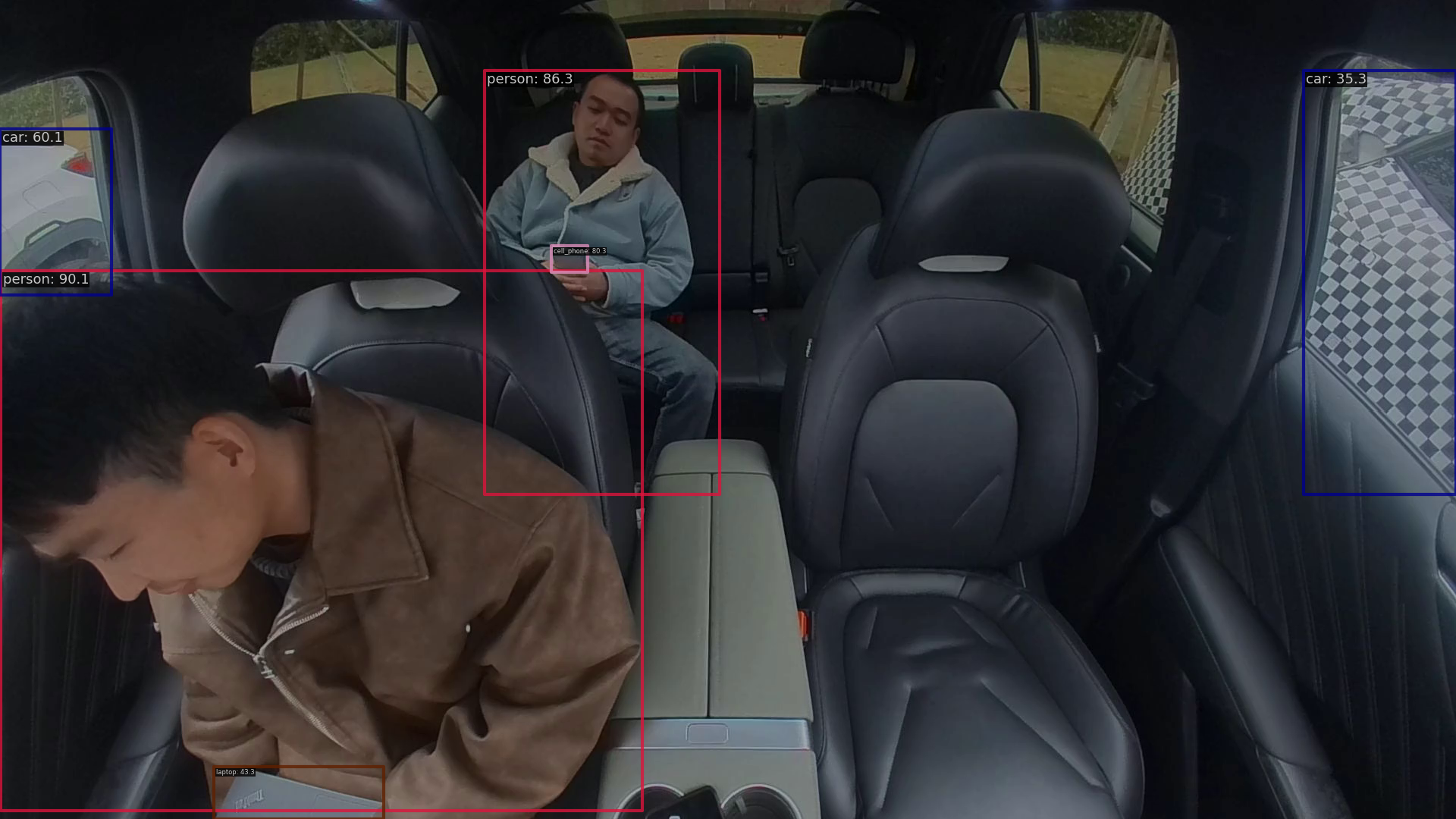
这里用了两个检测模型 Co-DETR 和 EVAv02
https://github.com/baaivision/EVA/tree/master/EVA-02
Co-DETR(tune in COCO)在舱内数据的表现效果:
5. Open Vocabulary Object Detection
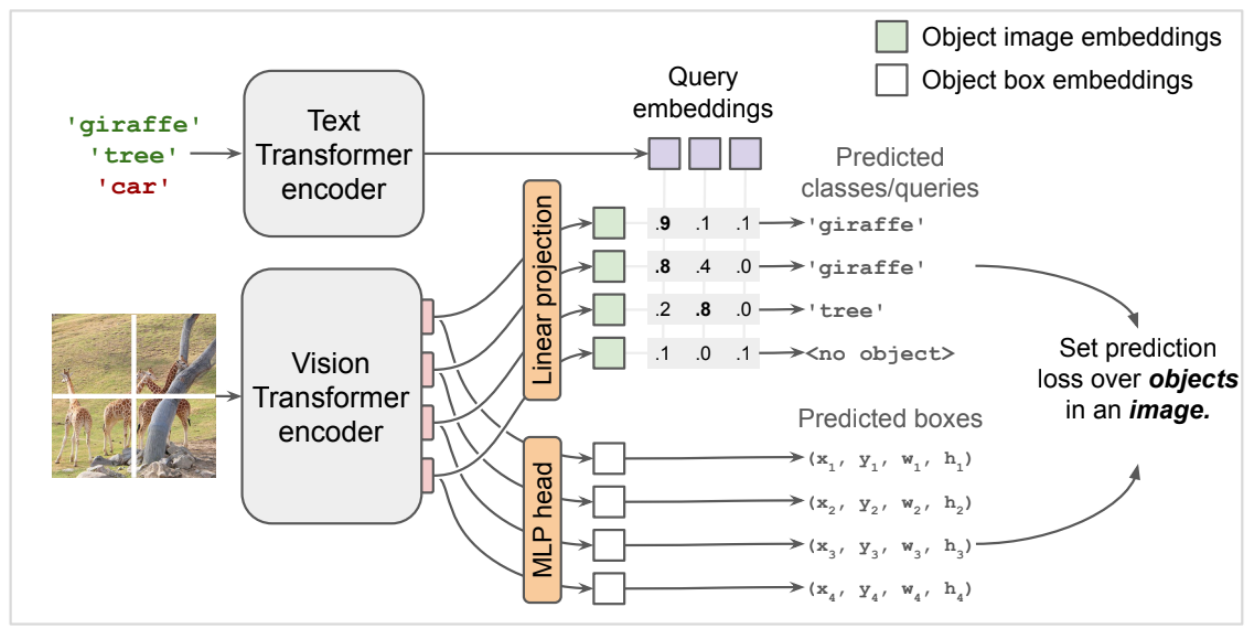
这里主要是利用开放词汇的detection模型,利用之前收集到tag生成对应的bbox,用的模型也是两个,分别是OWL-ViT 和 Detic
https://github.com/google-research/scenic/tree/main/scenic/projects/owl_vit
https://github.com/facebookresearch/Detic
OWL-ViT的模型结构如下, 比较简单,利用clip做的一些修改
6. Attribute Detection and Grounding
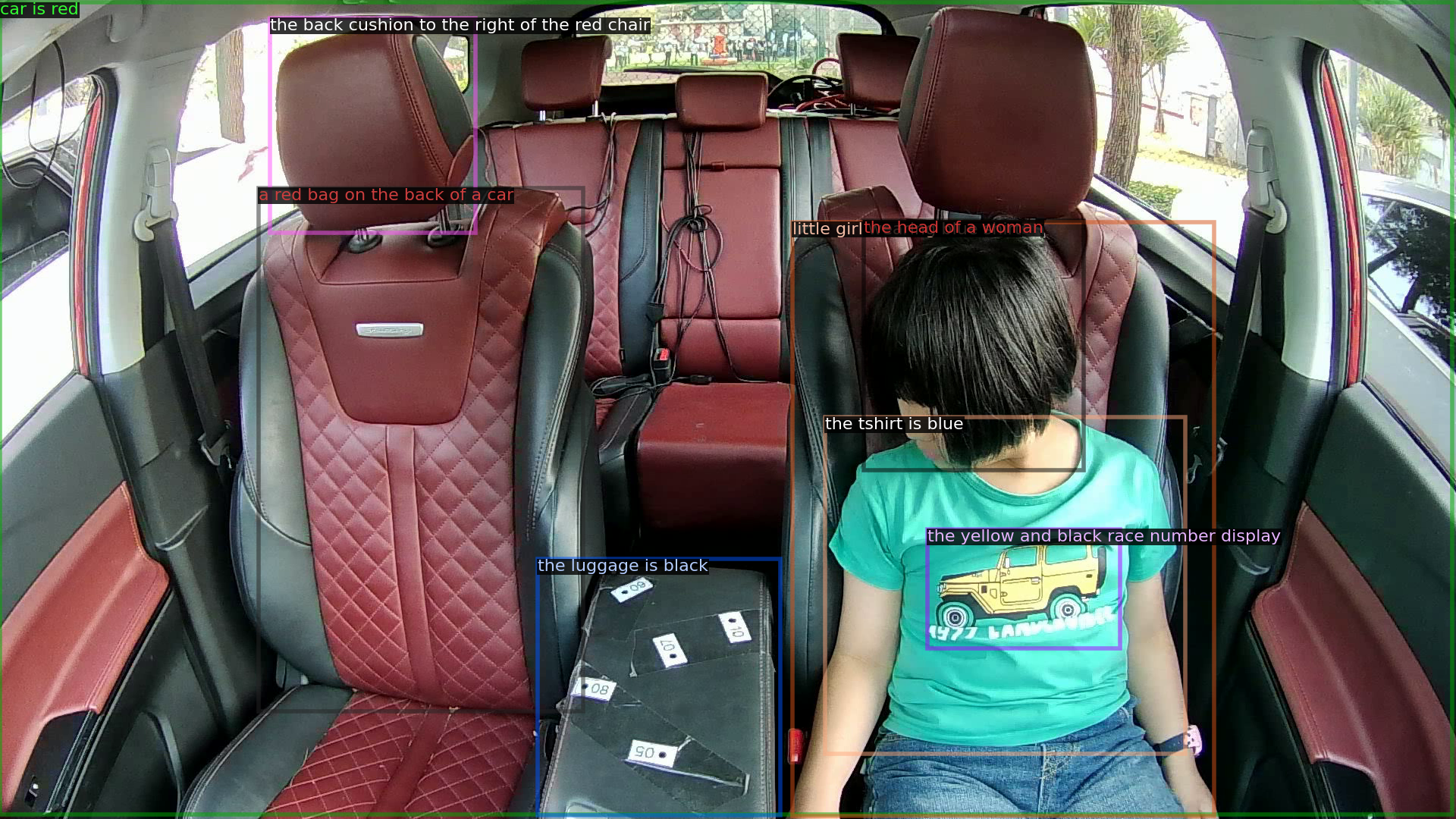
基于上面生成bbox,利用一些region-based vision-language models 去生成,dense caption(文章描述为attribute),这里用的模型为 GRiT
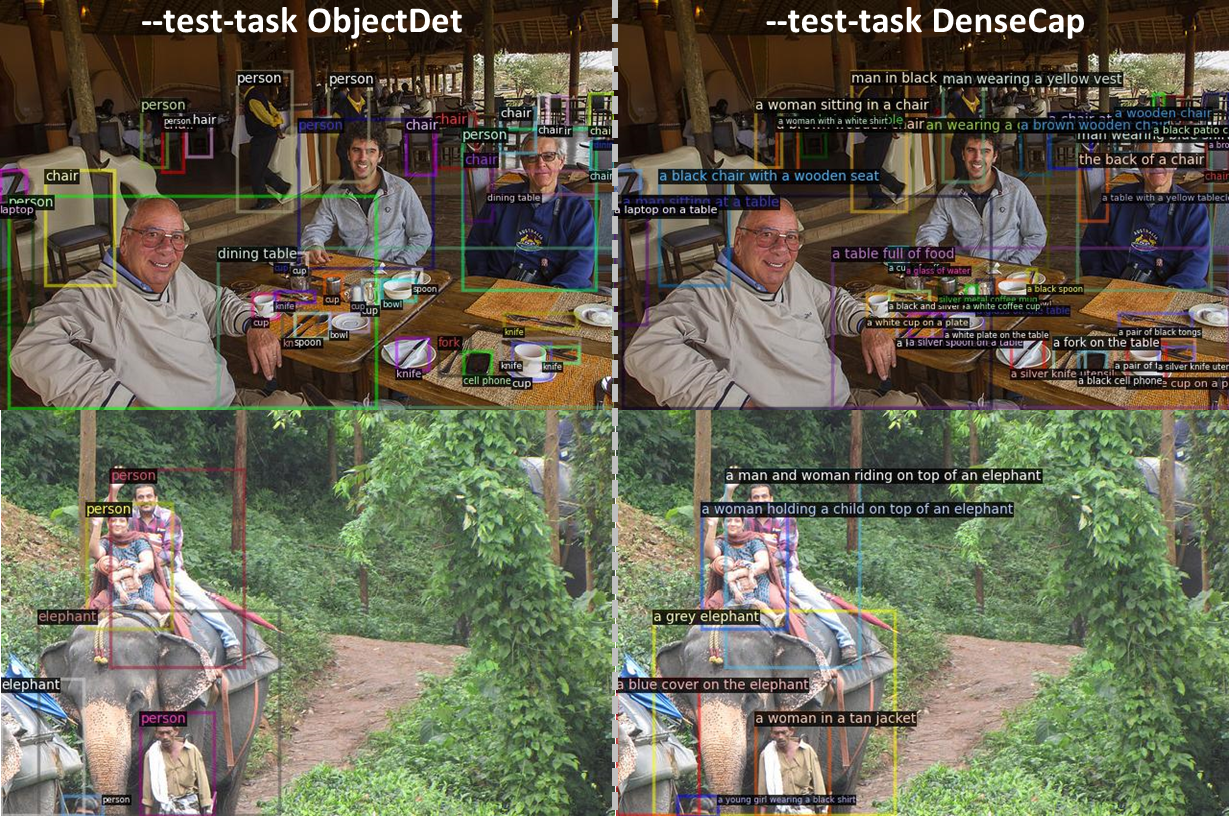
上面右图即为生成dense caption的模式,在车舱内的表现为:
7. Open Vocabulary Classification(skip)
这一步是对SAM数据进行过滤,不针对SAM数据可以跳过
8. Combine the predictions & Generate Level-1 Scene Graph
最终将每张图收集到的bbox做了merge及一些后处理工作,按照原文的话来说就是:
After this step, bounding boxes from different models are compared using IoU, with a bounding box retained as an object only if detected by at least two other detection models.
Level-2: Relationships
1. Captioning
生成图像的caption, 主要为场景的描述和landmark识别, 这里用到的模型为 BLIP-2 和 LLaVA-v1.5
https://github.com/salesforce/LAVIS
https://github.com/haotian-liu/LLaVA
值得一提的是BLIP-3最近也release了
https://github.com/C0nsumption/Consume-Blip3
blip2舱内的测试效果如下:
{"54_df_task2_rgb_age_29_0_0_30_30_1_0_frame97.png": {"blip2": "a young boy sitting in the back seat of a car"}}
{"41_df_task5_rgb_hand_49_0_-30_2_3_frame347.png": {"blip2": "an older man sitting in the back seat of a car"}}
llava测试效果(替换为llava-v1.6-vicuna-13b):
{"54_df_task2_rgb_age_29_0_0_30_30_1_0_frame97.png": {"llava": "a child sitting in the back seat of a car with luggage in the trunk."}}
{"41_df_task5_rgb_hand_49_0_-30_2_3_frame347.png": {"llava": "a man in a blue shirt sitting in the back of a car with red leather seats."}}
这里的prompt也做了替换:
def get_caption_prompt(model, conv_mode="llava_v1"):
    # qs = "Generate a single sentence caption of the provided image."
    qs = "Generate a single sentence caption of the provided image in detail."
    return get_prompt(model, qs, conv_mode)
2. Grounding Short Captions
基于phrase grounding模型 利用上面生成的caption信息和图像, 在caption中检测对应的object,生成对应的bbox, 这里用到的模型是MDETR